Join 30k+ business owners every Sunday at 5pm for actionable automation tips to kickstart your week.
AVERAGE READ TIME
4 Minutes
Written by
POST PUBLISH DATE
ChatGPT Ads Tutorial: Waitlist, Setup, Campaigns, Tracking & Pixels
FAQs About ChatGPT Ads
What are ChatGPT ads?
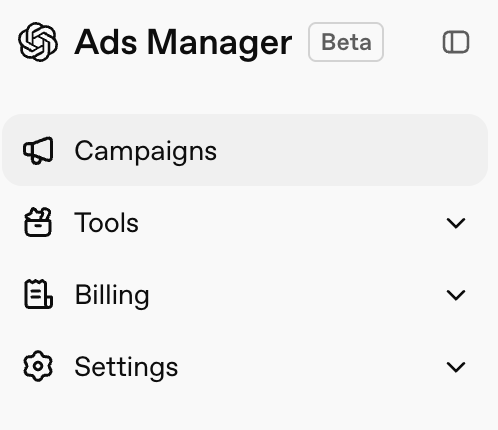
ChatGPT ads are sponsored placements that can appear inside ChatGPT while users are asking questions, researching solutions, comparing options, or looking for recommendations.
How do I sign up for ChatGPT ads?
You can sign up by joining the ChatGPT ads waitlist through OpenAI. After applying, watch your email for confirmation and approval. If approved, you will receive access to OpenAI Ads Manager Beta.
How much do ChatGPT ads cost?
The cost of ChatGPT ads can depend on your budget, bid, audience, competition, and campaign settings. The best approach is to start with a small test budget and measure cost per click, cost per lead, and return on investment.
Do ChatGPT ads need a pixel?
Yes. You should install the tracking pixel before launching campaigns. The pixel helps you track website visitors, conversion events, and campaign performance.
Can ChatGPT ads be used for retargeting?
Retargeting features may depend on the current version of the platform. Even if retargeting is limited during beta, it still makes sense to install tracking now so your account is ready as more features become available.
What types of businesses should use ChatGPT ads?
ChatGPT ads could work for SaaS companies, service businesses, ecommerce brands, consultants, agencies, and local businesses. They are especially useful for businesses whose customers ask questions, compare options, or research before buying.
ChatGPT Ads Could Be the Future of Advertising
Most businesses still think of ChatGPT as a tool for writing emails, summarizing notes, or creating content.
That is only part of the story.
People are now using ChatGPT to search, compare options, research products, ask buying questions, and figure out what to do next. That means ChatGPT ads could become one of the biggest new advertising opportunities for businesses that move early.
Think about how advertising has changed over the years. In the early 2000s, Google Ads gave businesses a way to show up when people were searching with buying intent. In 2007, Facebook ads gave brands a way to reach people based on interests, behavior, and attention.
Now ChatGPT ads may create a new type of opportunity: showing up while someone is asking questions and looking for a solution.
The businesses that win are usually not the ones who wait until a platform is crowded and expensive. They are the ones who learn early, test carefully, track results, and improve before everyone else catches on.
This does not mean you should blindly spend money on ChatGPT ads. It means you should understand how the platform works, get access early, set up tracking correctly, and build a campaign that has a real chance of producing leads or sales.
What Are ChatGPT Ads?
ChatGPT ads are sponsored placements that appear inside ChatGPT. They are different from traditional search ads because people use ChatGPT differently than Google.
On Google, someone might search “best CRM for small business.”
On ChatGPT, they might ask, “What is the best CRM for a small service business that needs automated follow-up, missed call texting, email marketing, and a simple lead pipeline?”
That second version gives a lot more context. The person is not just searching a keyword. They are explaining their problem, what they need, and what they are trying to solve.
That is why this could be powerful for advertisers. Instead of only competing for short keywords, businesses may be able to show up during more detailed conversations where buyers are comparing options and trying to make decisions.
Why This Matters Right Now
New ad platforms usually reward early learners. At first, most businesses wait because they want more proof, more case studies, and more people talking about it before they try it themselves.
The problem is that once everyone understands the opportunity, costs usually go up and competition gets harder. That is why now is the time to at least get familiar with ChatGPT ads.
You do not need to build a massive campaign right away. You need to get on the waitlist, understand the dashboard, install tracking, and learn how the platform works while it is still early.
For SaaS companies, service businesses, ecommerce brands, consultants, and local businesses, this is worth watching closely.
Step 1: Get on the ChatGPT Ads Waitlist
The first step is to sign up for access. Do not wait until you have the perfect campaign planned. If the platform has a waitlist, you want to get in line now.
After signing up, watch your email for a message from OpenAI. You should first receive confirmation that you are on the waitlist. If approved, you will receive access to OpenAI Ads Manager Beta.
Once you are approved, you can log in and start setting up your account. But do not rush into launching ads right away. The setup matters.
Step 2: Set Up Your Ads Manager Account
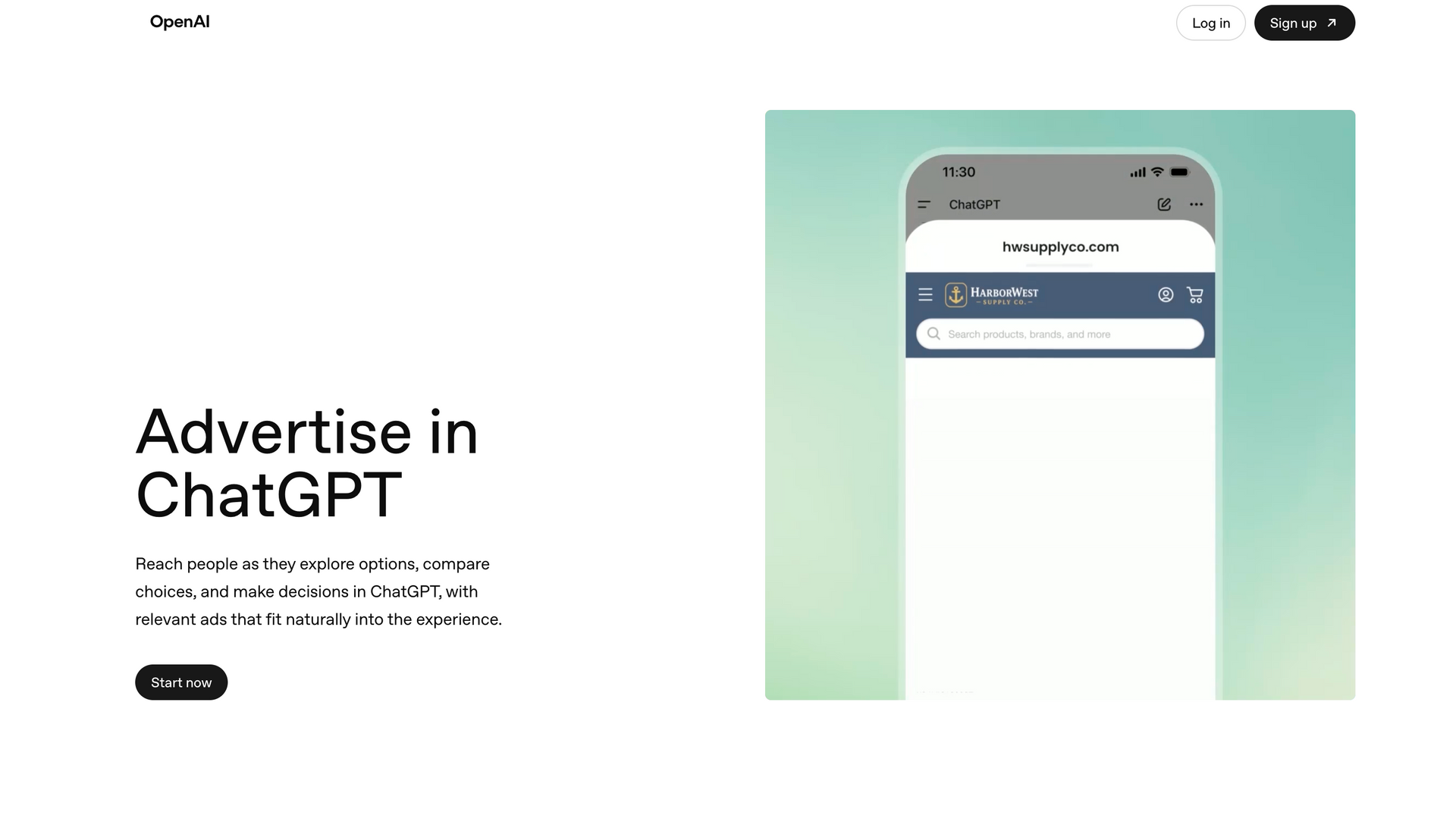
Once you are inside Ads Manager, take a few minutes to look through the platform. You should see areas for campaigns, tools, history, conversions, billing, settings, and users.
Before creating your first campaign, make sure the basics are correct. This includes your business name, website, billing profile, payment method, tracking setup, and user access.
This part is not exciting, but it is important.
If billing is not set up, your campaign may not run. If tracking is not installed, you will not know what is working. If user access is not set up correctly, it may be harder for your team or agency to manage the account.
You want the foundation in place before you spend money.
Step 3: Install Your Tracking Pixel
Before running ads, set up tracking. This is where a lot of businesses make mistakes. They launch ads first, spend money, and then try to figure out what happened later.
That is backwards.
Inside Ads Manager, you can create a data source for your website, iOS app, or Android app. Most businesses will start with a website data source. After that, the platform gives you a script to install on your website.
You can usually place this script in the head section of your website. Another option is to add it through Google Tag Manager.
Google Tag Manager is useful because it lets you manage tracking codes in one place. Instead of adding every ad platform’s code directly to your website, you can use Tag Manager to keep things organized.
Once the pixel is installed, you can begin tracking visitors and conversion events. That tracking is what helps you understand whether your ads are actually producing results.
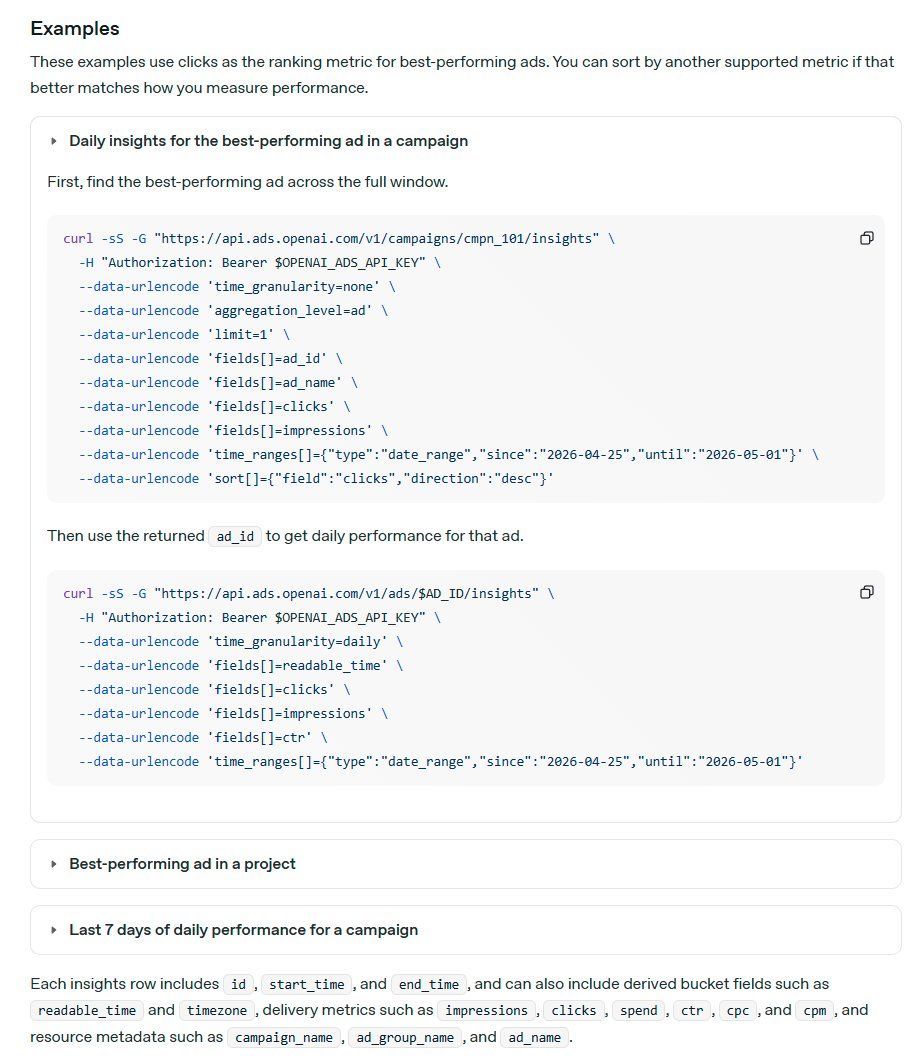
Step 4: Create Your Conversion Events
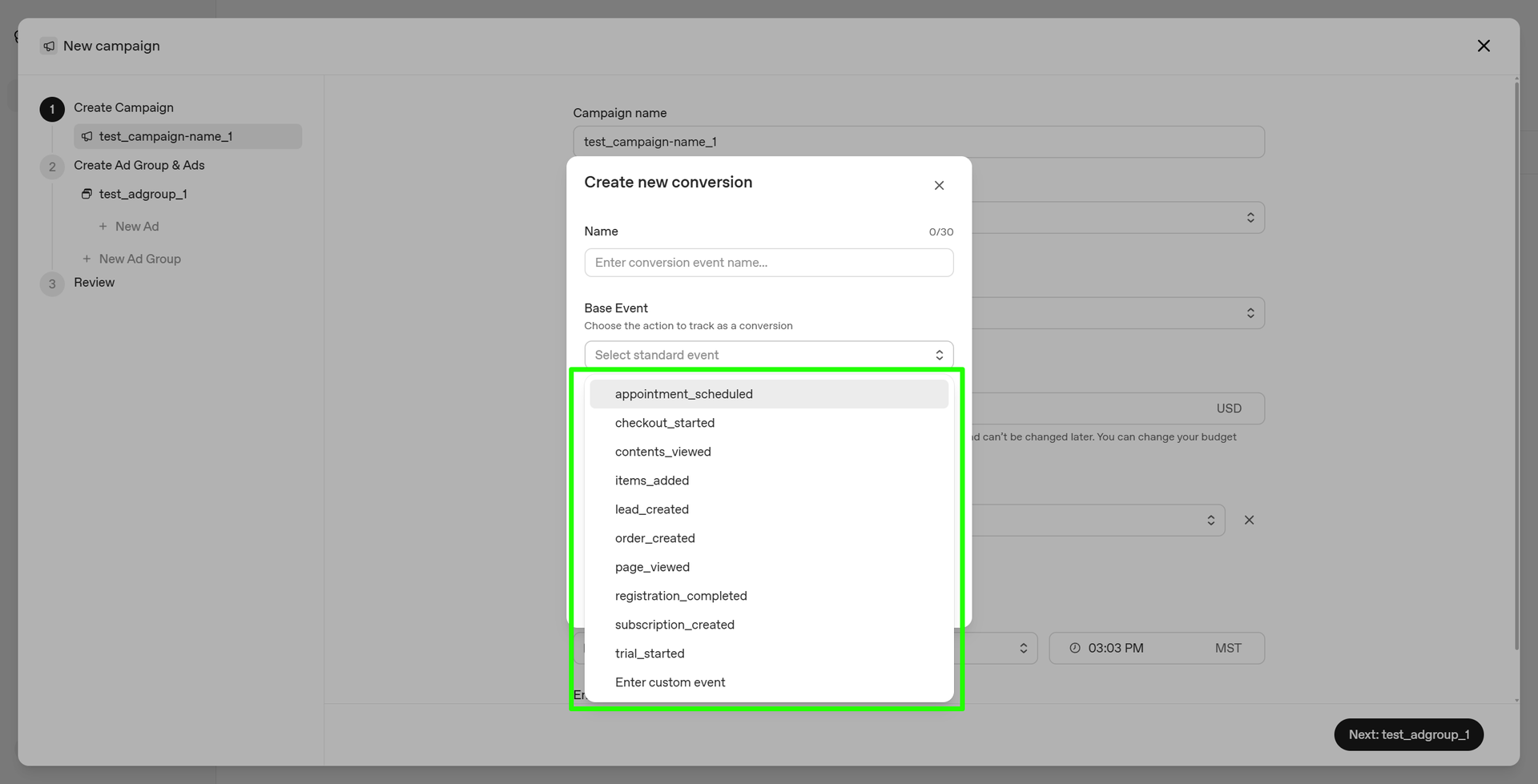
After the pixel is installed, set up conversion events. A conversion event tells the platform what action matters most.
A service business may track contact form submissions. A B2B company may track booked appointments. A SaaS company may track demo requests or free trial signups. An ecommerce store may track purchases or add-to-cart actions.
This matters because clicks are not the goal. Leads, sales, booked calls, trials, and revenue are the goal.
A campaign can get cheap clicks and still fail if nobody converts. Another campaign may have a higher cost per click but bring in better leads. That is why conversion tracking needs to be set up before you launch.
You need to know what is actually working.
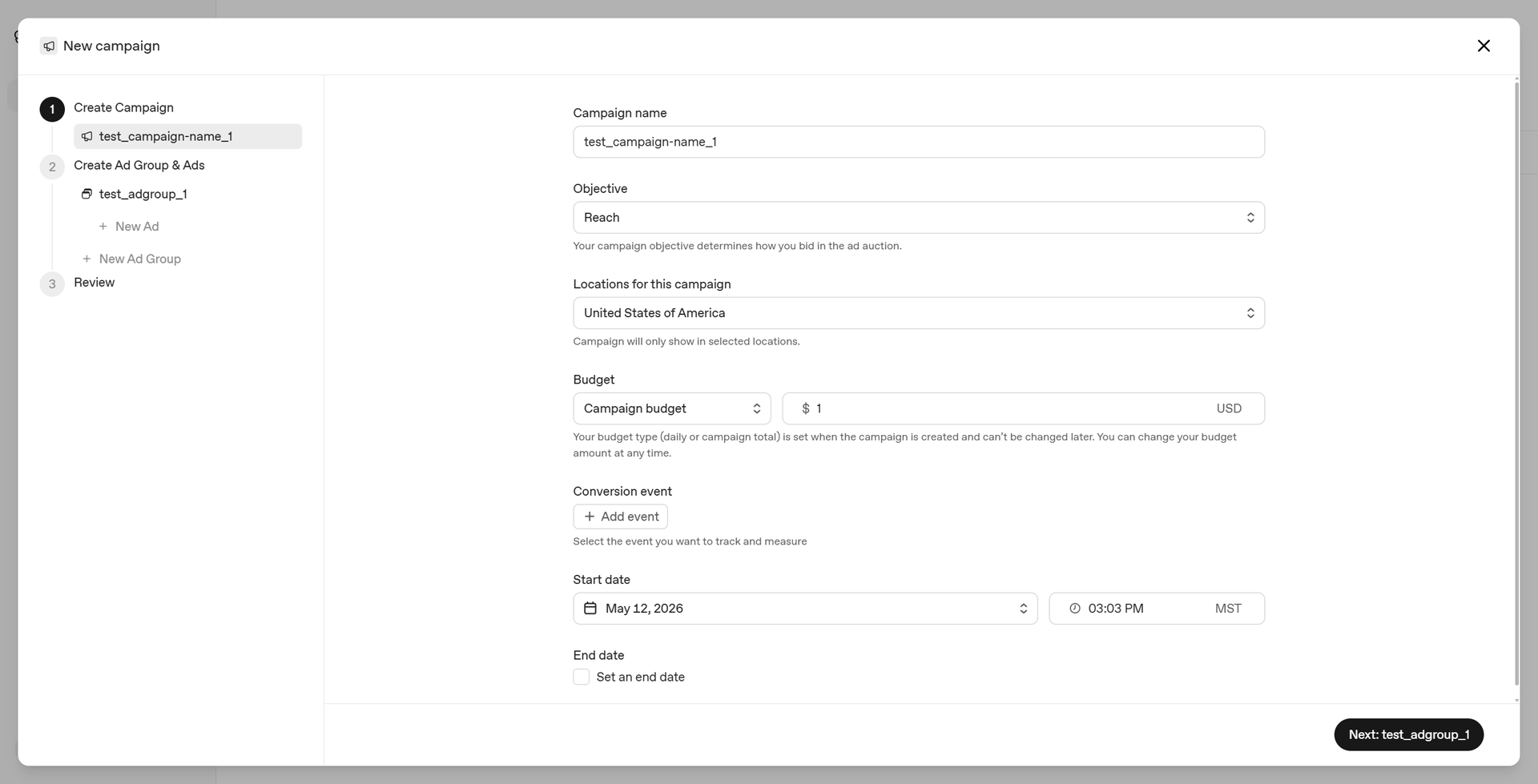
Step 5: Build a Simple First Campaign
Once your account, billing, pixel, and conversion events are ready, you can create your first campaign.
Most ad platforms follow a similar structure: campaign, ad group, and ad. The campaign is the main container, the ad group controls the audience, targeting, bid, and context, and the ad is what people actually see.
For your first campaign, keep it simple. Do not create 10 campaigns on day one. Pick one clear audience, one clear offer, and one clear landing page.
For example, a SaaS company could create a campaign for founders who want more booked demos. A service business could target people looking for better lead follow-up. An ecommerce brand could promote a best-selling product or product category.
The goal of the first campaign is not to build the perfect ad account. The goal is to launch clean, track properly, and collect useful data.
Reach vs. Clicks
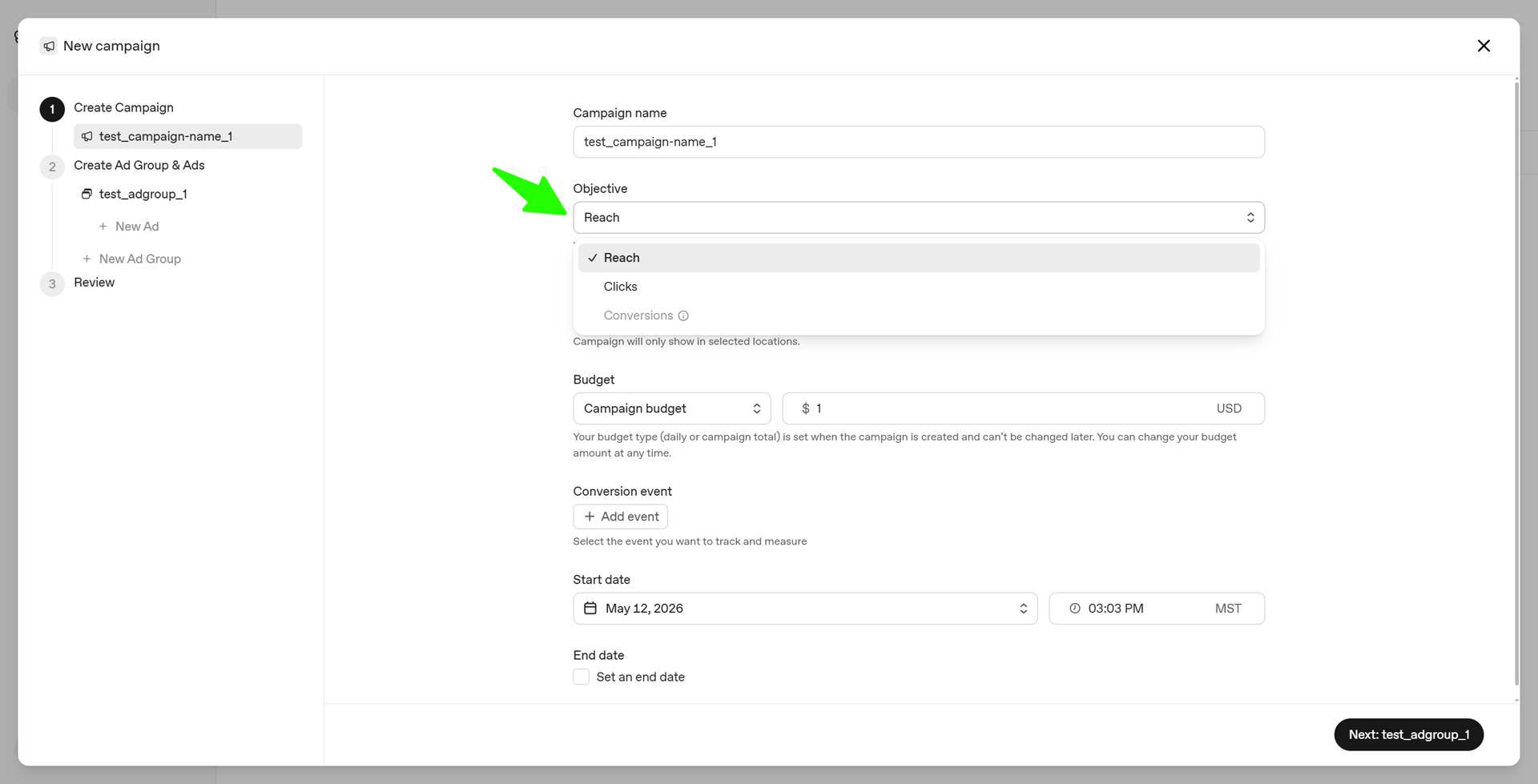
When setting up a campaign, you may see options like reach or clicks. Reach is focused on getting your ad seen by more people, while clicks are focused on getting people to visit your website or landing page.
For most businesses starting out, clicks will usually be the better place to begin because you want traffic you can measure.
But clicks alone do not mean the campaign is successful.
The real question is what happens after the click. Do people stay on the page? Do they fill out the form? Do they book a call? Do they buy?
Context Hints Matter
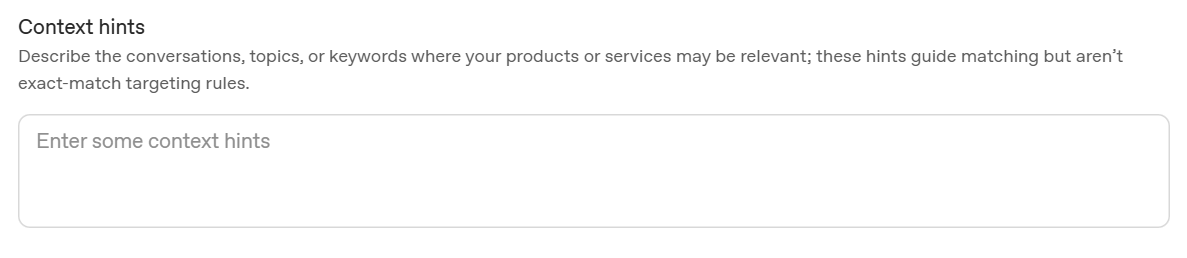
One of the most important parts of ChatGPT ads is the context hints section. This is where you describe the types of conversations, topics, or keywords where your product or service may be relevant.
This is not the same as traditional keyword targeting. You are not just saying, “Show my ad for this exact keyword.” You are giving the platform context around when your business should appear.
For example, a company that helps with CRM, advertising, and automation may want to appear when someone is asking about how to get more leads for a SaaS company, how to turn website visitors into booked demos, how to automate lead follow-up, how to improve paid ad results, how to retarget website visitors, how to build a CRM system for a service business, or how to stop leads from slipping through the cracks.
This is where you need to think like your customer.
What would they ask before they buy? What problem are they trying to solve? What are they comparing? What are they frustrated with? What result do they want?
Your answers to those questions should guide your campaign.
Send People to a Landing Page
One of the biggest mistakes businesses make with paid ads is sending traffic to the homepage. A homepage usually has too many options. It talks to too many audiences. It has too many links, sections, and distractions.
A landing page should be much more focused.
If your ad targets SaaS founders, the page should speak directly to SaaS founders. If your ad targets service businesses, the page should speak directly to service businesses. If your ad targets ecommerce buyers, the page should match the product or offer they clicked on.
Do not make people figure out if the offer is for them. Make it obvious.
A strong landing page should have a clear headline, simple explanation, trust builders, proof, a short form, and one clear call to action.
The ad gets the click. The landing page gets the lead. You need both to work together.
What Should the Ad Say?
Your ad should be clear before it is clever. People should quickly understand who it is for, what problem it solves, and why they should click.
If you are a SaaS company, your ad might focus on booked demos, lower acquisition costs, or better follow-up. If you are a service business, your ad might focus on getting more qualified leads and responding faster. If you are an ecommerce brand, your ad should show the product clearly and make the offer easy to understand.
For example, a SaaS ad could use a headline like “Turn SaaS Leads Into Demos.”
That is simple, specific, and outcome-focused. The description can then explain how your system helps turn traffic into booked calls using ads, CRM automation, and follow-up.
You do not need to overcomplicate it. Clear usually wins.
Start Small and Improve
You do not need a huge budget to start. In the beginning, you are testing.
Start with a small daily budget or a short campaign budget. Watch the numbers. See how many impressions, clicks, and conversions come in.
Then adjust based on the data. Test different headlines, images, landing pages, and audience angles.
The first version of an ad is rarely the best version. The goal is to learn what people respond to and keep improving.
What to Track
Once your campaign is live, pay attention to the numbers that matter.
Impressions show how often your ad is being shown. Clicks show how many people are visiting your page. Cost per click shows what you are paying for traffic. Conversions show how many people are taking action. Cost per conversion shows what it costs to get a lead, trial, booked call, or sale.
Lead quality matters too.
Do not judge the campaign by cheap clicks alone. Cheap traffic that does not convert is still wasted money.
The real question is simple: how much does it cost to get a real lead or customer?
That is the number that matters.
Final Thoughts
ChatGPT ads are still early. That means the platform will change, features will improve, targeting will get better, more advertisers will join, and costs may rise as competition grows.
That is exactly why businesses should pay attention now.
You do not need to be perfect. You need to get access, set up tracking, launch a simple campaign, and start learning.
The businesses that win with ChatGPT ads will not be the ones that just spend the most money. They will be the ones that understand their customer, write clear ads, use focused landing pages, track conversions, and follow up with every lead.
Because ads do not fix a broken system. They amplify the system you already have.
If your website, tracking, CRM, and follow-up are set up correctly, ChatGPT ads could become a serious opportunity to reach people while they are actively looking for answers.
And that is where advertising is heading.
THE AUTOMATION
NEWSLETTER
Join 30k+ business owners every Sunday at 5pm for actionable automation tips to kickstart your week.